
You can sell five things on your page: a file, a program, a skill, a call and a link. You can also give any of them away for free.
If you’re coming from Stan or another store, you probably sell your program as a PDF. You can do that here too. You can also build the program in our builder and sell it with your PDF, so your buyers get the whole program on their phone as well as the PDF.
A file on its own
Upload your PDF and set a price. Someone pays and the PDF opens right after. We also email them a link to it.
It doesn’t have to be a PDF. You can sell a spreadsheet, a document, a text file, an ebook, a picture, audio or a zip file, and up to 10 files together.
This works the way it does on Stan. It’s all you need for a meal plan, an ebook, a tracker or anything else that isn’t a workout program. See Sell a file.
A program with a PDF
Build the program in the builder, week by week and day by day. Then attach your PDF and set a price. Someone pays and gets both.
The PDF is the same file you’d sell on its own. You can attach other files too, like a spreadsheet to track progress. The program opens on their phone as its own page, with every week and day, and every exercise with its sets, reps and your notes. They tap an exercise to see a video of how it’s done. They can also save the whole program to the Trainlike app and train from it there.
Before someone pays, they can see the weeks and days. After they pay, each day opens.
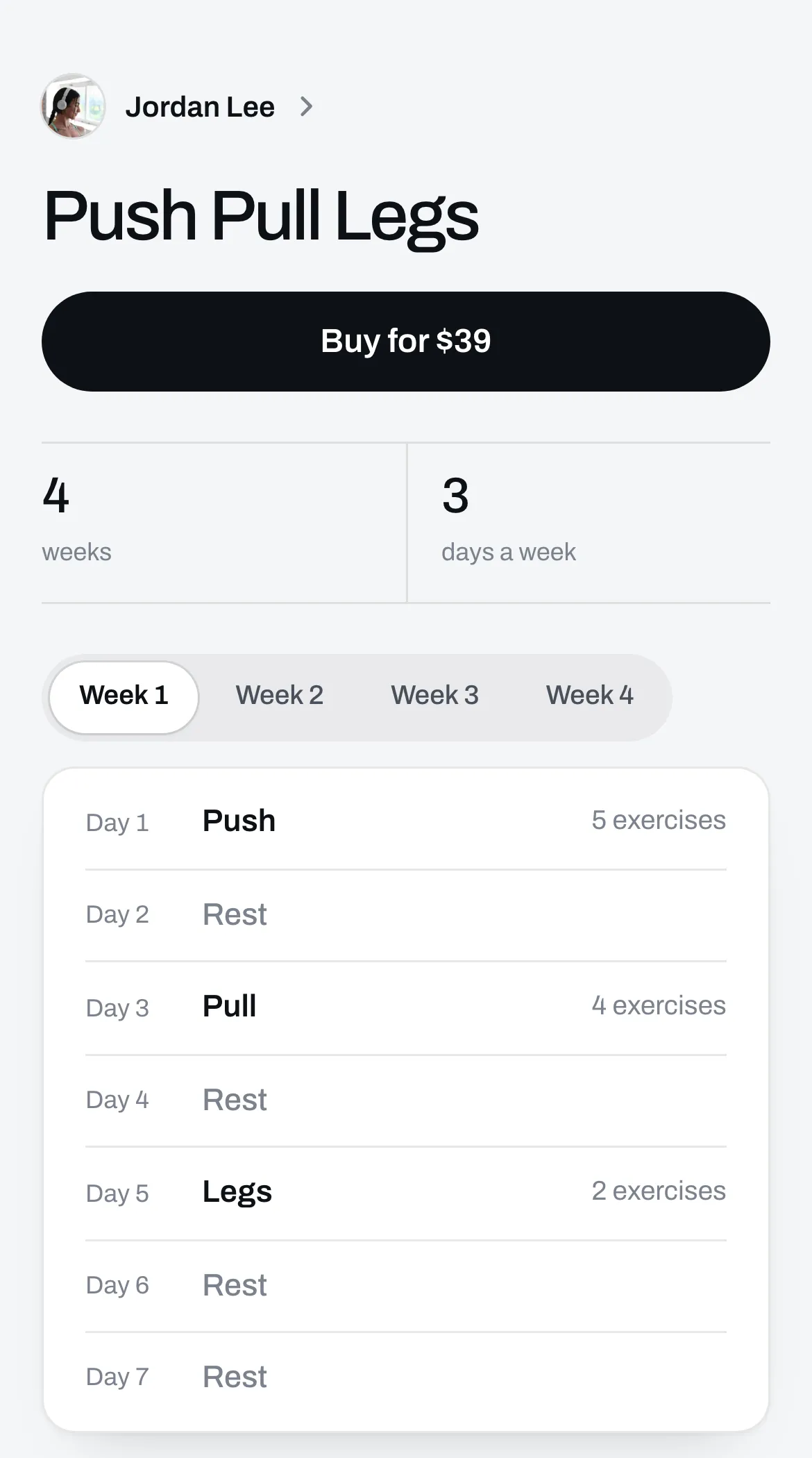
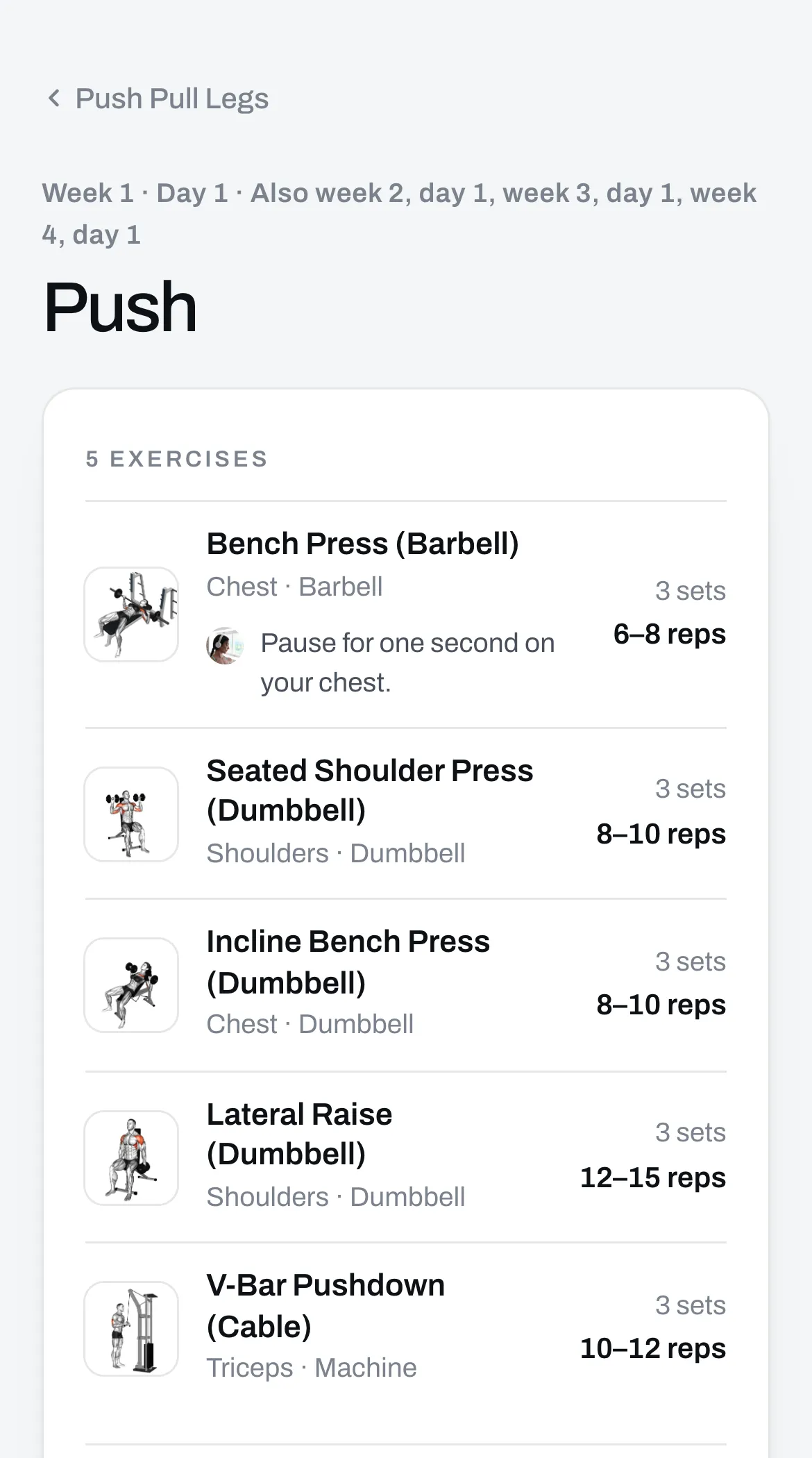
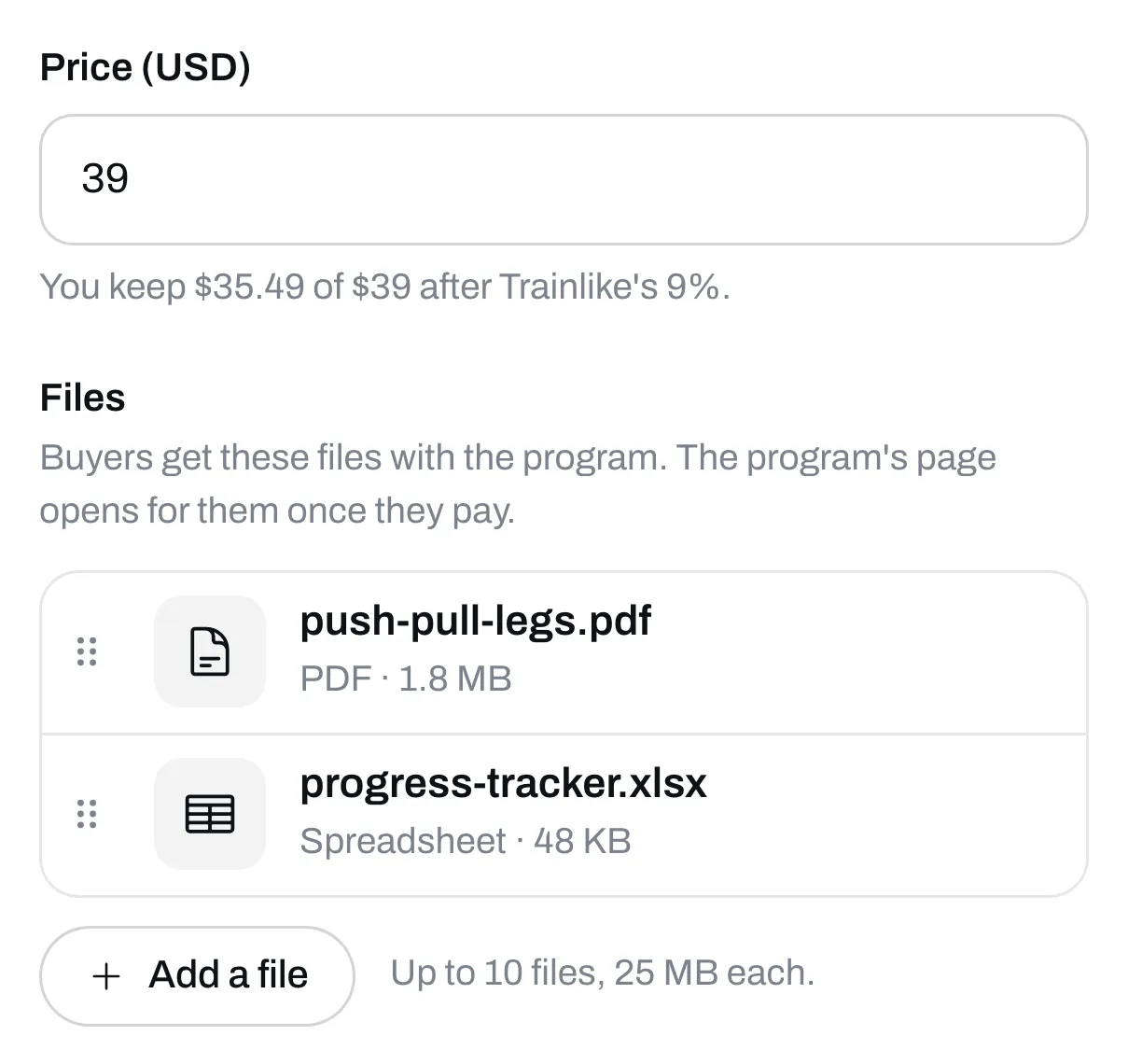
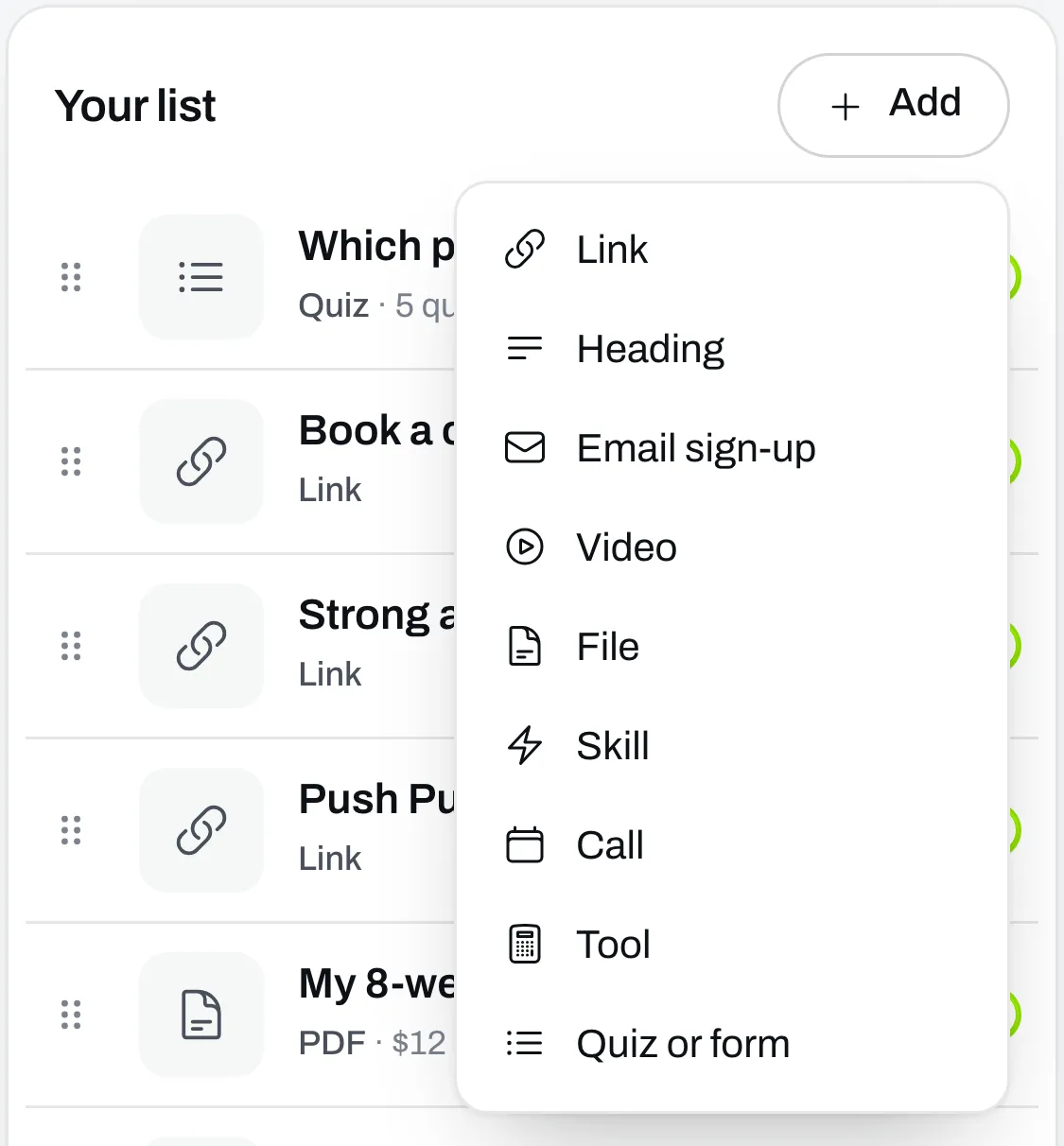
You set the price and attach your files in the same place. On Page, click the program in Your list. A program with a price needs at least one file. A free program can have files or not. See Sell a program.
Which one should you pick?
| File on its own | Program with a PDF | |
|---|---|---|
| What you do | Upload your PDF | Build the program, then attach your PDF |
| What your buyer gets | The PDF | The PDF, and the program on their phone |
| Exercise videos | Only what’s in your PDF | Built in, for every exercise on our list |
| If you fix a mistake | New buyers get the new PDF. Past buyers keep the one they bought. | Click Publish changes and past buyers see the new program too. |
| Best for | Meal plans, ebooks, trackers and guides | Workout programs |
If you’re selling a workout program, we’d build it. Your buyers still get your PDF.
If your program is already a PDF, you don’t have to type it all in. Start from a PDF fills in every day from your PDF, then you check it. It’s on Plus.
Skills
A skill is your plan, written for an AI assistant. Your customer adds it to Claude, ChatGPT or Gemini, and their assistant helps them follow your plan and answers their questions your way.
You make it in Skills from a document or a program you have. Then you add it to your page and set a price. Someone pays and gets the skill’s files, with a guide that shows how to add it. See Make a skill and Sell a skill.
Calls
People pick a time and pay. They only see times you’re free, and each call gets a Google Meet link. You connect your Google Calendar once. See Sell a call.
Links
Put a price on any link and people pay before they get it. We email them the link once they’ve paid. This is for something that lives somewhere else, like a video course, a Google Sheet or a private group. See Sell a link.
Giving things away
Leave the price empty and it’s free. Turn on Ask for email first on a file, a program, a skill or a link, and people give you their email to get it. Everyone who does shows up in Audience. See Ask for an email before someone gets something.
Where to add them
Files, skills, calls and links come from the Add button on Page. A skill has to be made and ready in Skills first. A program doesn’t come from Add. You build it in Programs, and it joins Your list when you publish it.
What you pay when you sell
On the free plan, Trainlike’s cut is 9% of each sale. On Plus there’s no cut. Stripe charges its own fee on every sale either way. See Trainlike’s cut and Stripe’s fees.
Before you can set a price, you need to set up your payouts.