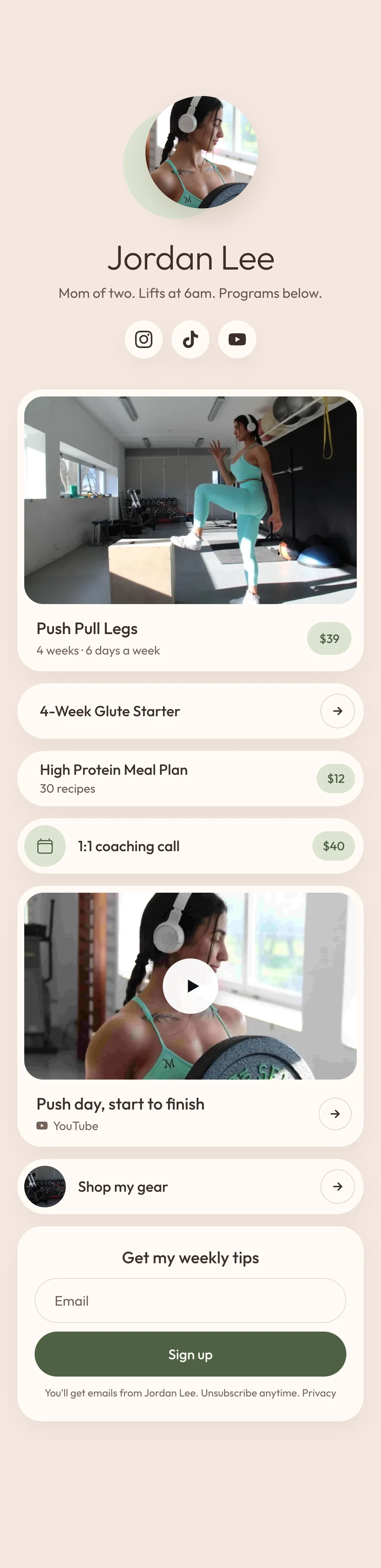
Sell a program your buyers can follow at the gym.

Add your exercises, sets, reps and notes. Your buyers open it on their phone and tap an exercise to watch it.

Claim your store

Your store is free. No card needed.

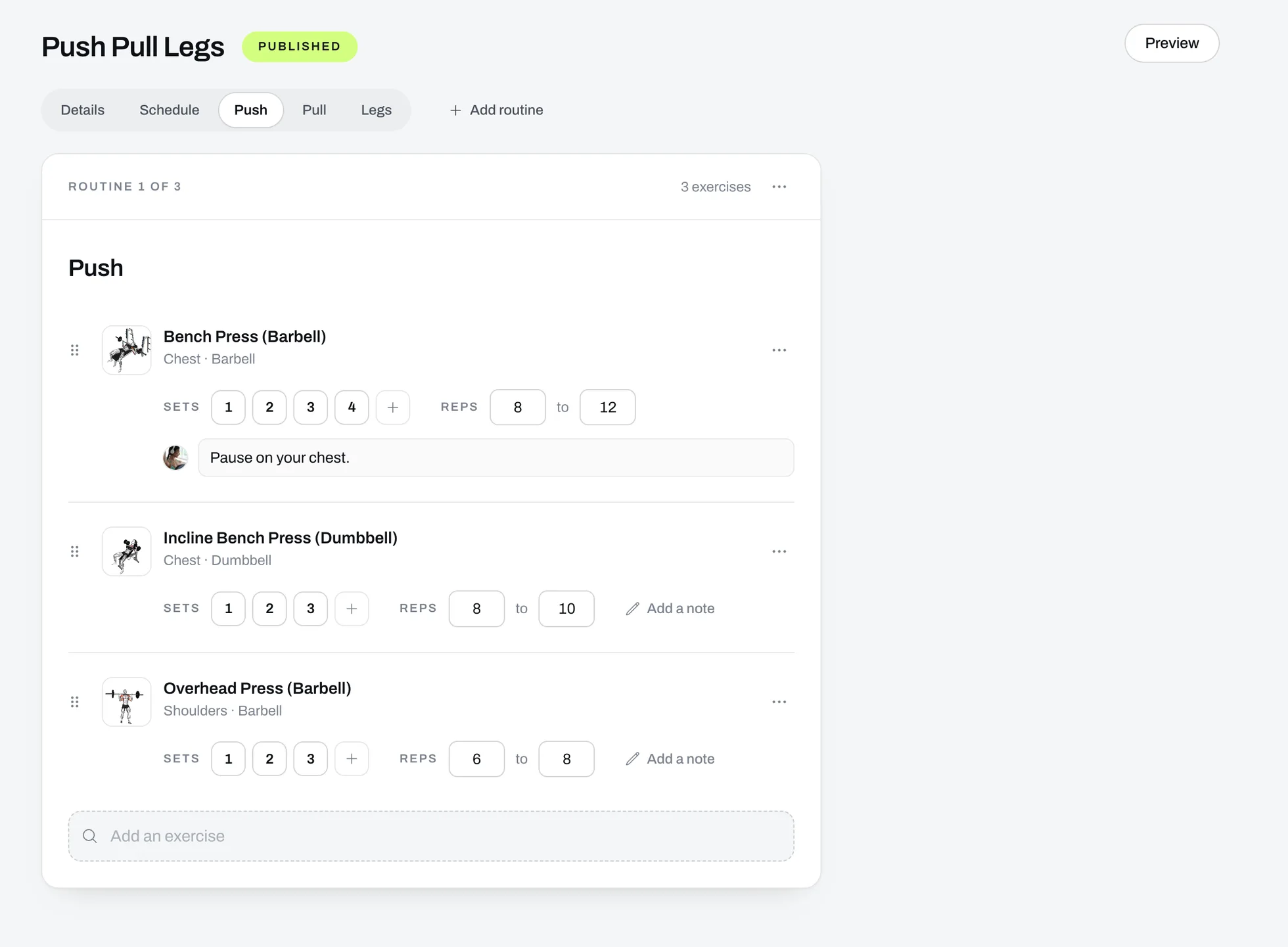
The program builder with push day open: three exercises, each with its sets and reps, and a note on the first.
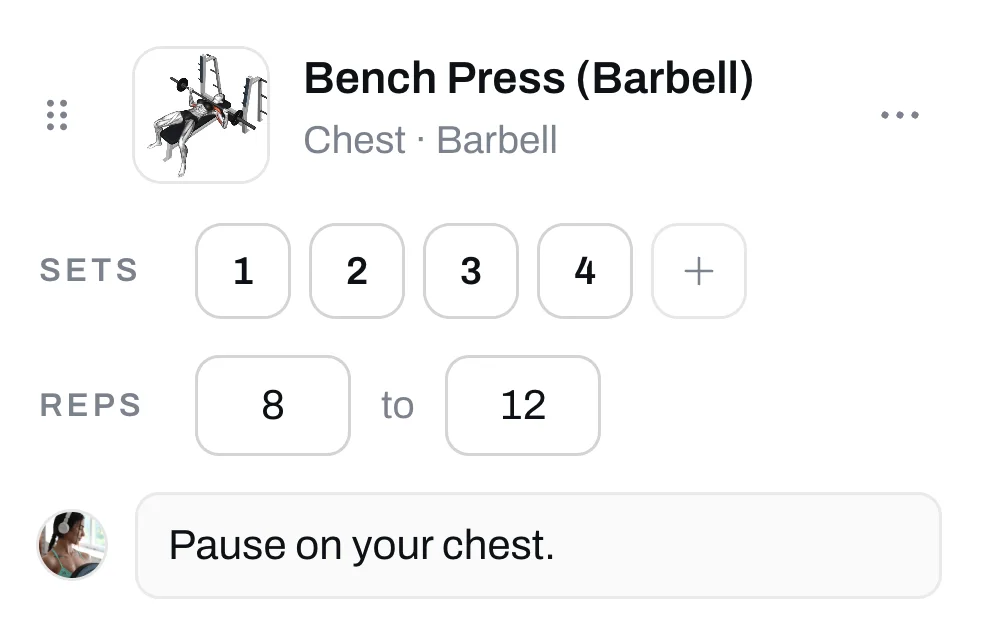
Bench Press in the program builder: four sets, 8 to 12 reps and the note Pause on your chest.
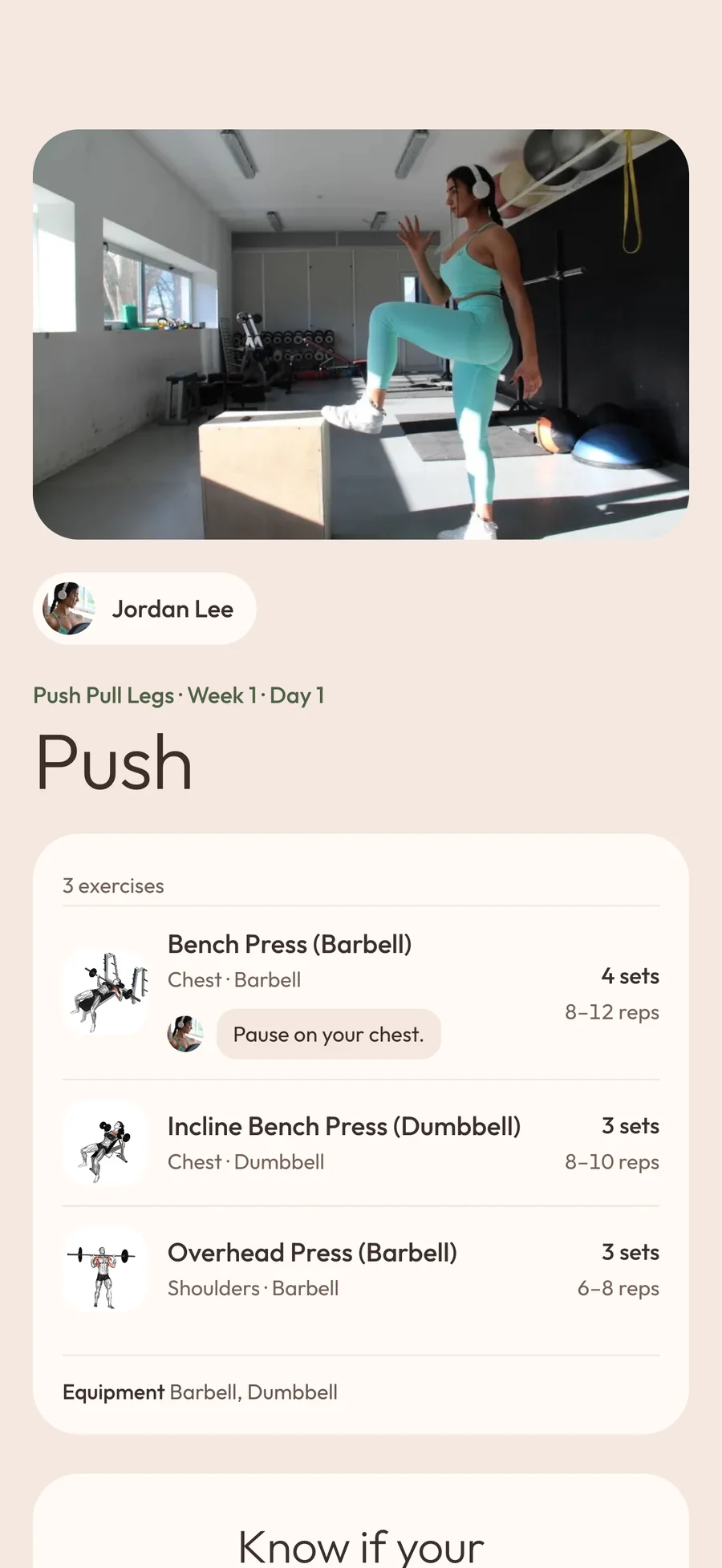
The same day on a follower's phone, with the same exercises, sets, reps and note.

A PDF is hard to follow at the gym.

Most programs are sold as a PDF. Your buyer opens it on their phone at the gym, zooms in to read the sets, and has to search for any exercise they don't know. A program you build here opens as a page on their phone, and they tap an exercise to watch how it's done.

How to build your program.

  1. Add your workouts

    Make a workout for each day, like Push or Legs, and add exercises from our list or your own.

  2. Type the sets and reps

    Set the reps for each set, and add a note where you want to explain something.

  3. Publish your program and set a price

    Type a price, or leave it empty to give it away. Add your PDF too and your buyers get both.

Claim your store

What you can do in the program builder.

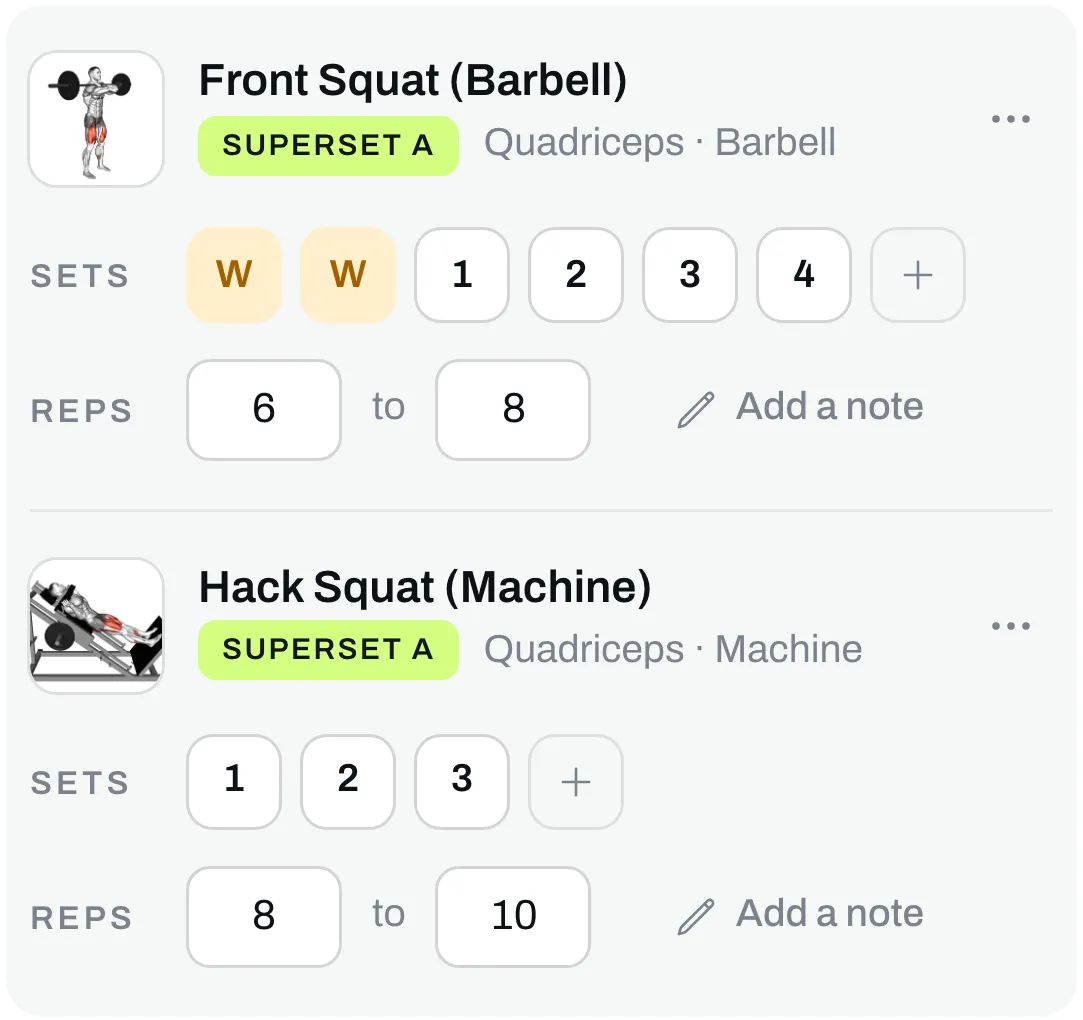
Add supersets, warm-ups and drop sets

Join two exercises into a superset, and mark any set as a warm-up, an AMRAP set or a drop set.
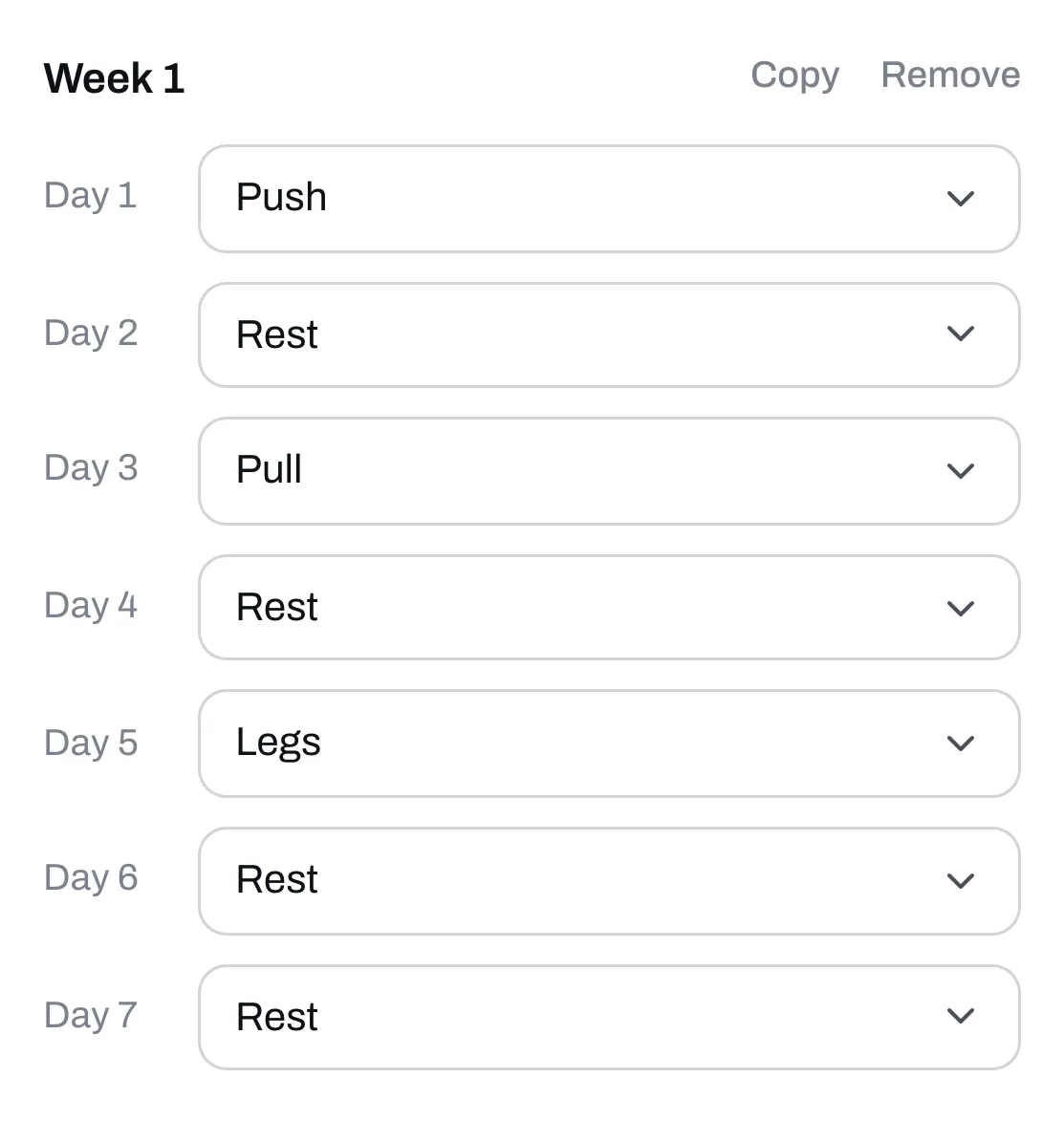
Lay out every week

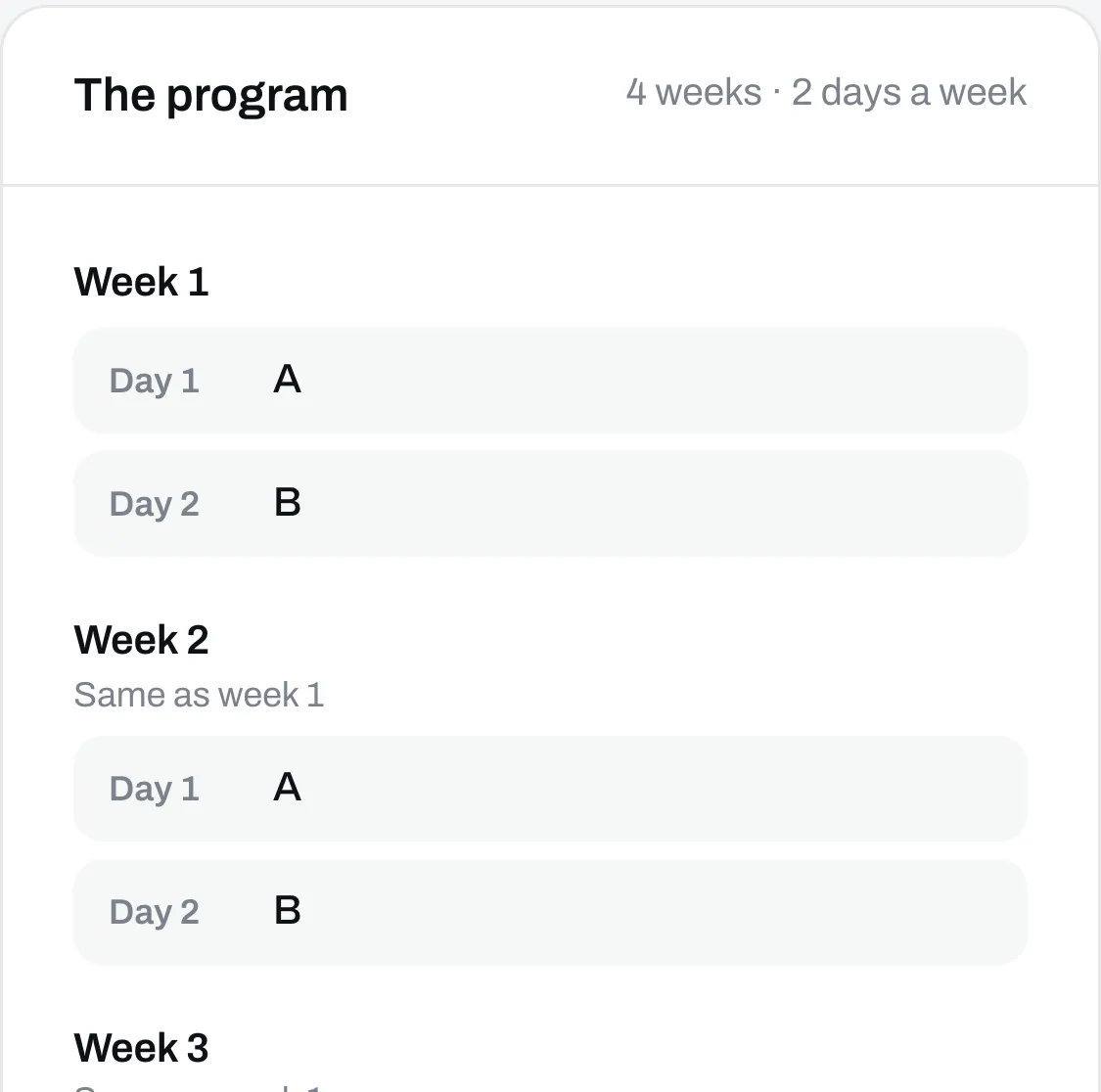
Put a workout on each day, then copy the week and change what's different. A program can have up to 52 weeks.
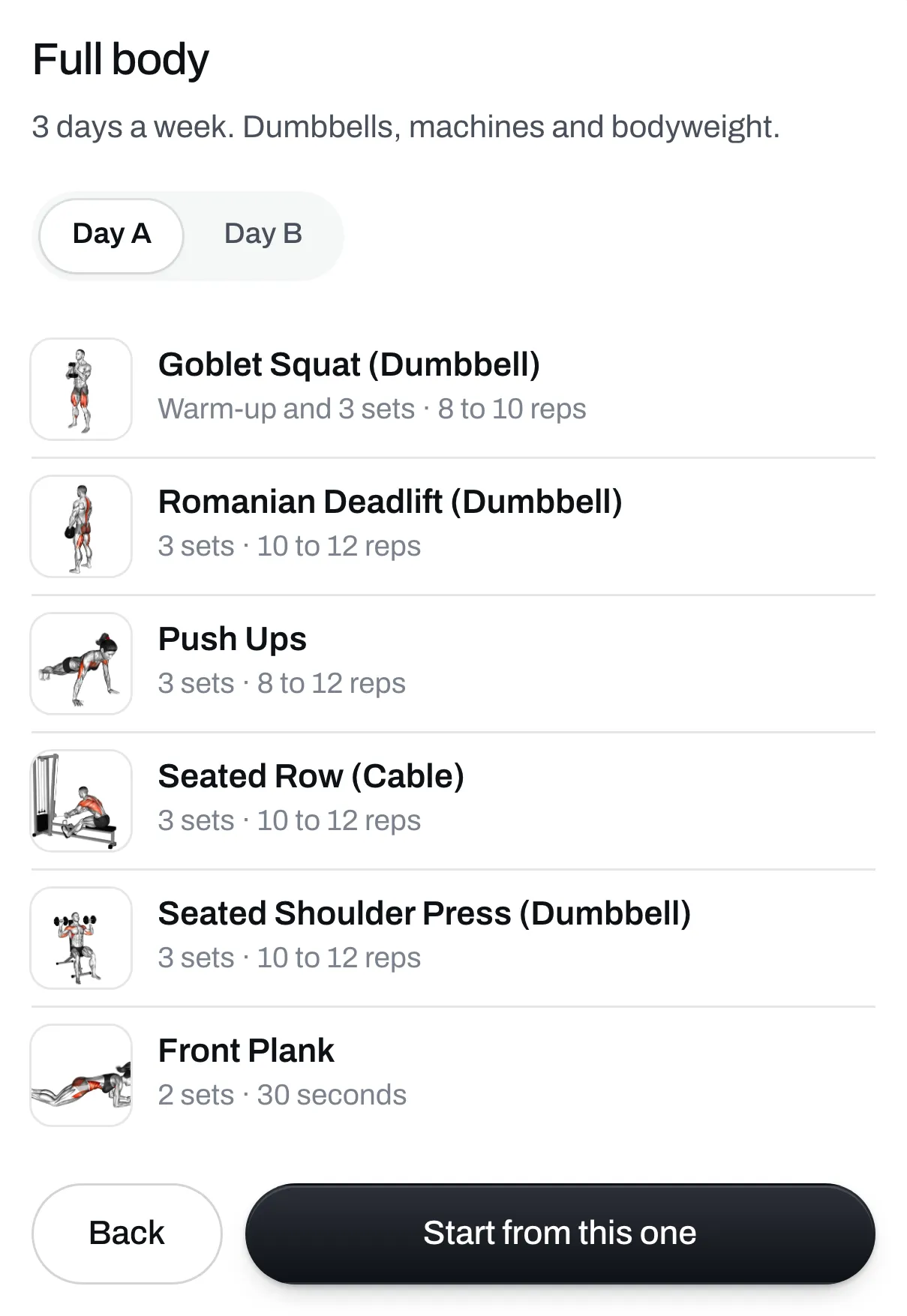
Start from a ready-made program

There are six to start from, like full body or push/pull/legs. Change anything you like.
Start from your PDF Plus

Upload the program you already have. We fill in the builder from it, and you check it.
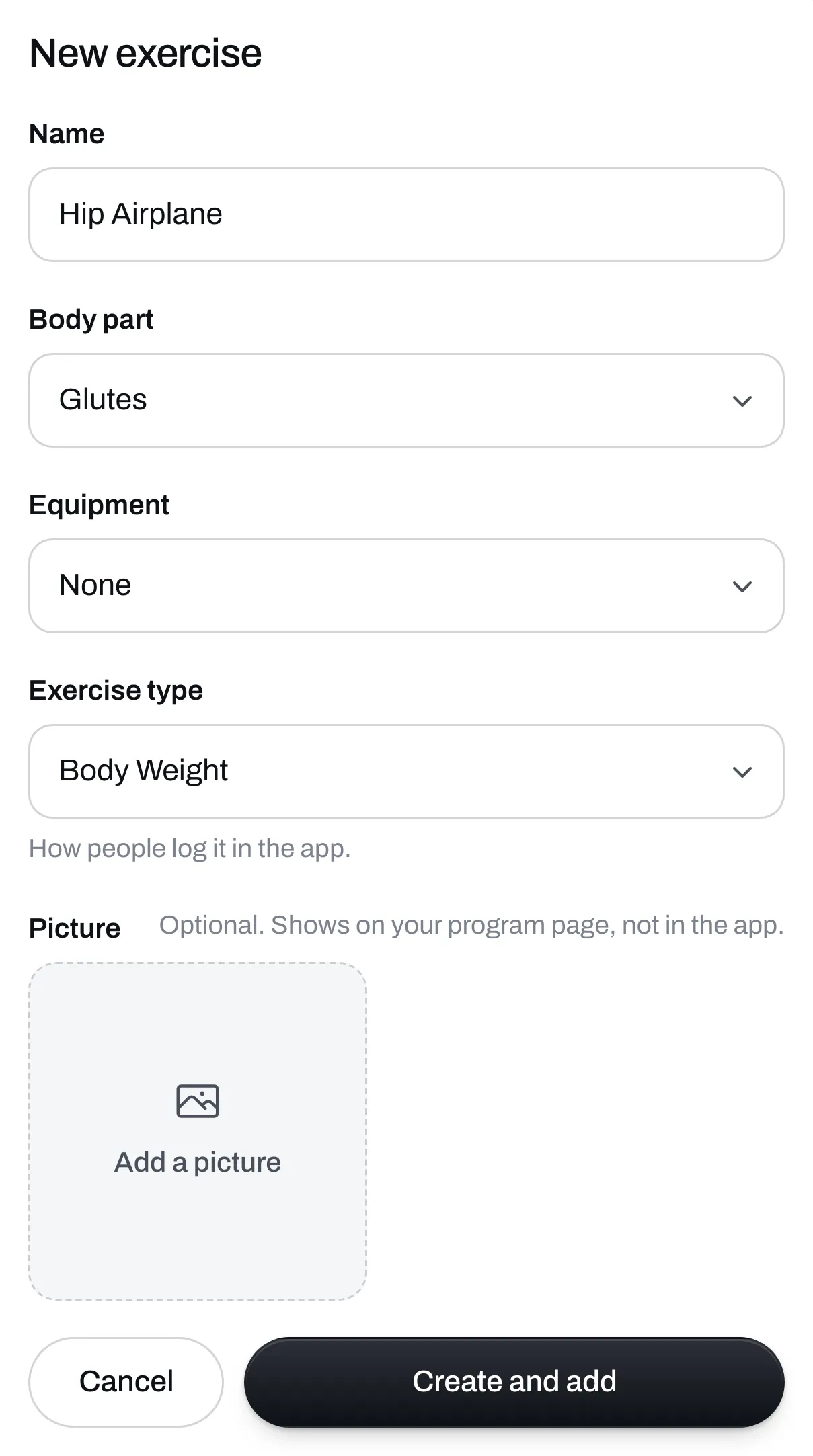
Add your own exercises

If an exercise isn't on our list, add it with its body part and equipment.
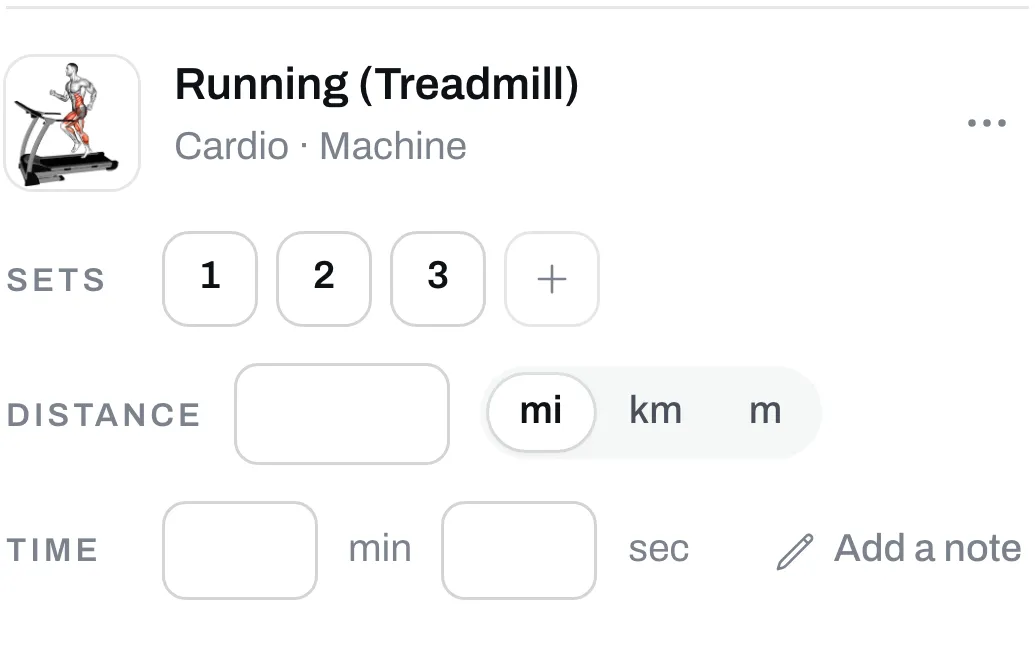
Use time or distance too

Set a time for a plank. Set a distance, a time or both for a run.
What your buyers get.

9:41
Jordan Lee

Push Pull Legs

Buy for $39
6days a week
4weeks
Week 1Week 2Week 3Week 4
  1. Day 1 Push 6 exercises
  2. Day 2 Pull 6 exercises
  3. Day 3 Legs 6 exercises
  4. Day 4 Push 6 exercises
  5. Day 5 Pull 6 exercises
  6. Day 6 Legs 6 exercises
  7. Day 7 Rest

The whole programEvery week and day of it.

9:41
Jordan Lee

Push Pull Legs

Routine 1 of 3 · 6 exercises

Day 1 · Push

Every exerciseWith the sets, reps and your notes.

9:41
Jordan Lee

Push Pull Legs

Routine 1 of 3 · 6 exercises

Day 1 · Push

How it's doneTap any exercise to watch it.

FAQ

Questions

What does my buyer get?
The program opens on their phone right after they pay, with every week and day. They tap an exercise to watch a video of how it's done. They also get your files, and an email with links to all of it.
Do I have to film a video for every exercise?
No. Every exercise on our list already has one. An exercise you add yourself doesn't have a video, but you can add a picture.
Can people see the program before they pay?
They can see the weeks and days. Each day opens after they pay.
My program is already a PDF. Do I have to type it all in?
On Plus, you upload the PDF and we fill in the builder for you to check. On the free plan, you type it in or start from a ready-made program.
Can I still sell my PDF?
Yes. Attach it to the program and your buyers get both.
Can I give a program away for free?
Yes. Leave the price empty. You can also ask for an email first, so everyone who gets the program joins your list.
What if I find a mistake after people have bought it?
Fix it and click Publish changes. People who already bought the program see the new version the next time they open it.
Do my followers need an app?
No. The program opens in the browser on any phone. On an iPhone, they can also save it to the Trainlike app and log their workouts there.
What does it cost?
Your store is free. Trainlike's cut is 9% of each sale. On Plus, our monthly plan, there's no cut. Stripe charges its own card fee on every sale.

Open your store.

It's free. No card needed.

Claim yours