
People pay by card on Stripe’s form, right on your page, so they don’t get sent anywhere else. What they get next depends on what they bought. They also show up in your Audience.
A program
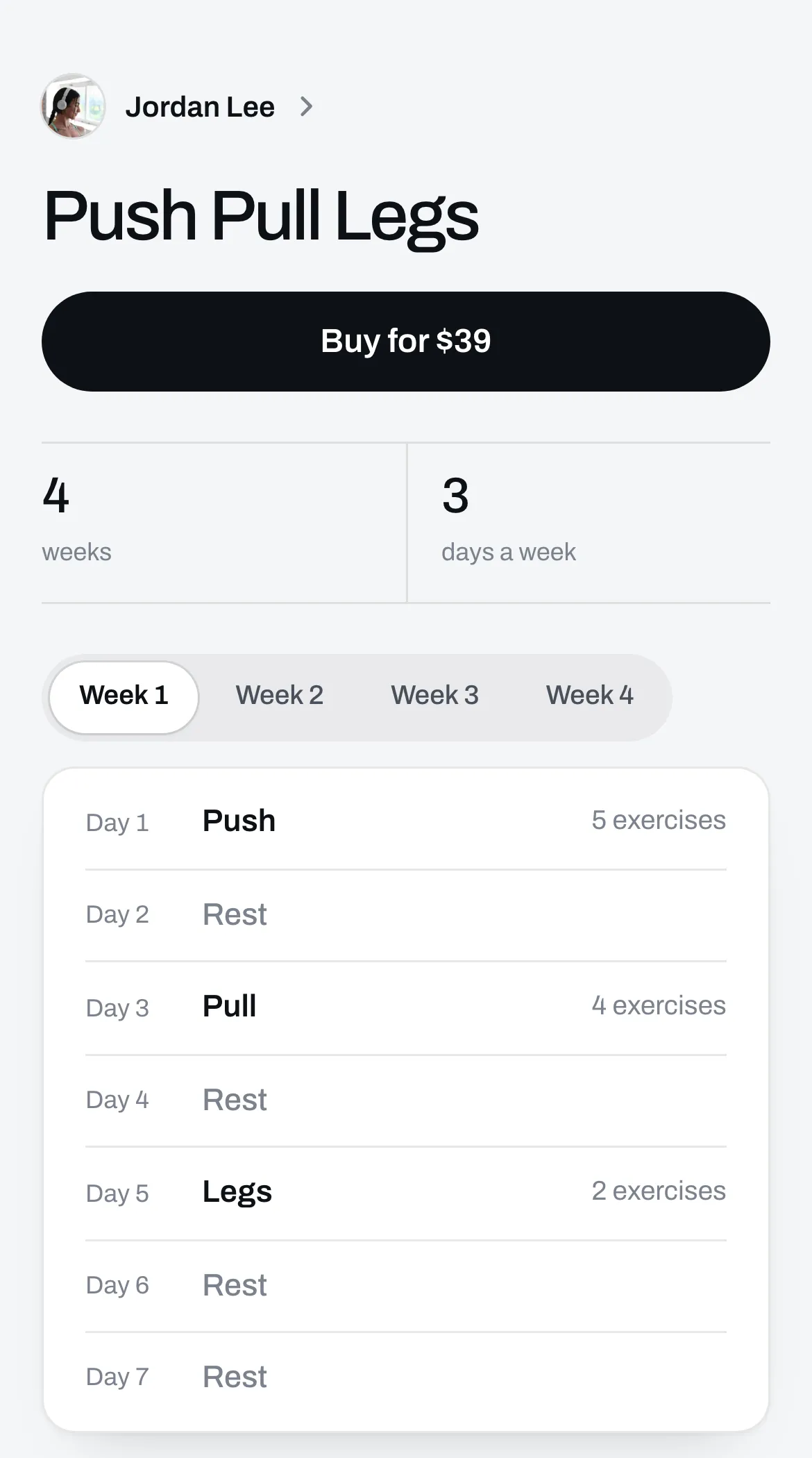
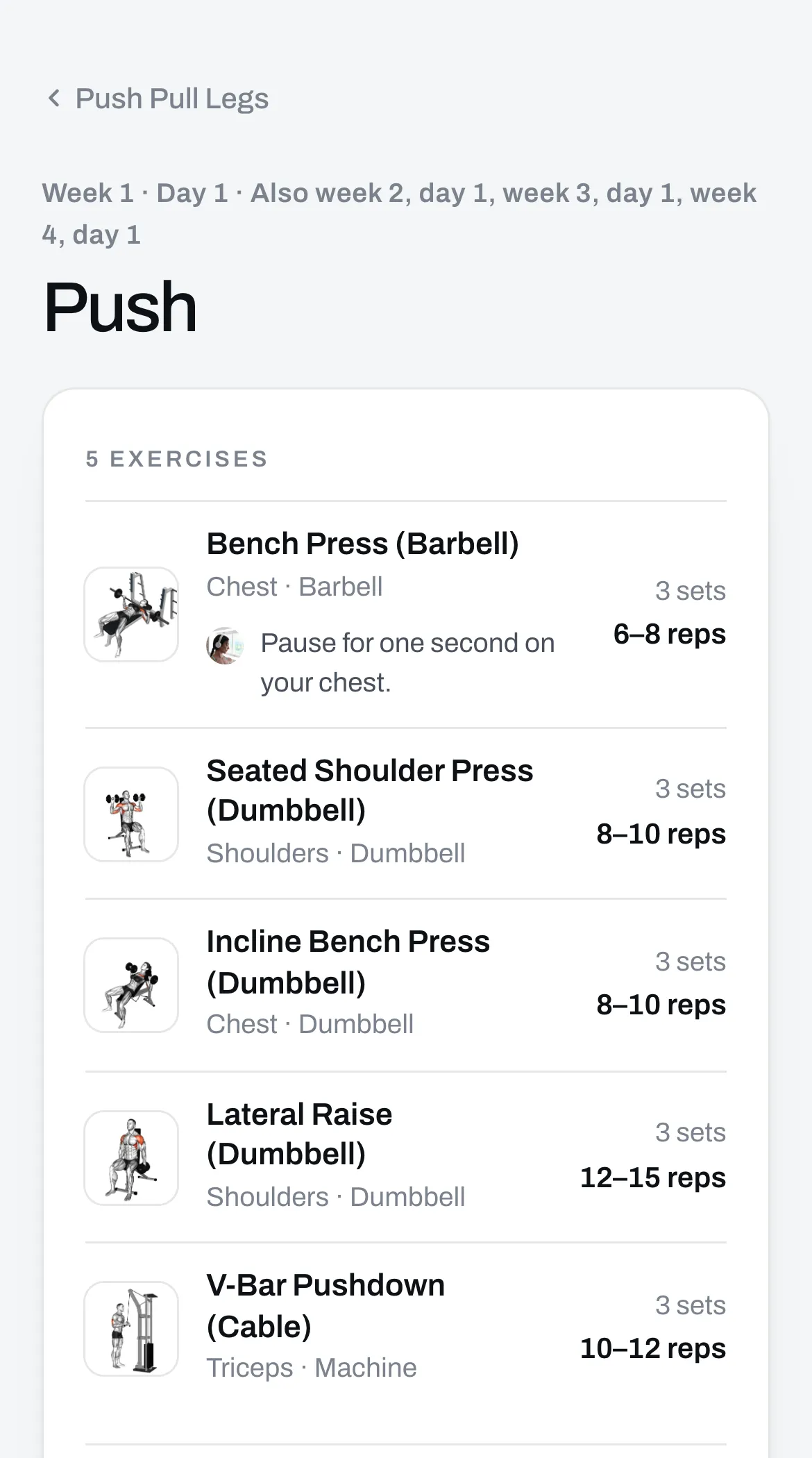
The program opens right after they pay, with every week and day. They tap an exercise to see a video of how it’s done, and they can click Open in the Trainlike app to save the whole program to the app.
They get your files with it. If the program comes with one PDF, that’s an Open the PDF button. If it comes with another kind of file, or more than one, each file is listed with its own button.
They also get an email, “Your program from” followed by your name, with an Open the program button and a button for each file. Those links keep working, so they can come back any time.
A file
A PDF, a picture or audio opens right after they pay. A spreadsheet, a document, a text file, an ebook or a zip file downloads. If they bought several files, they get a list with a button for each.
They also get an email with a button for each file, and those links keep working too.
A skill
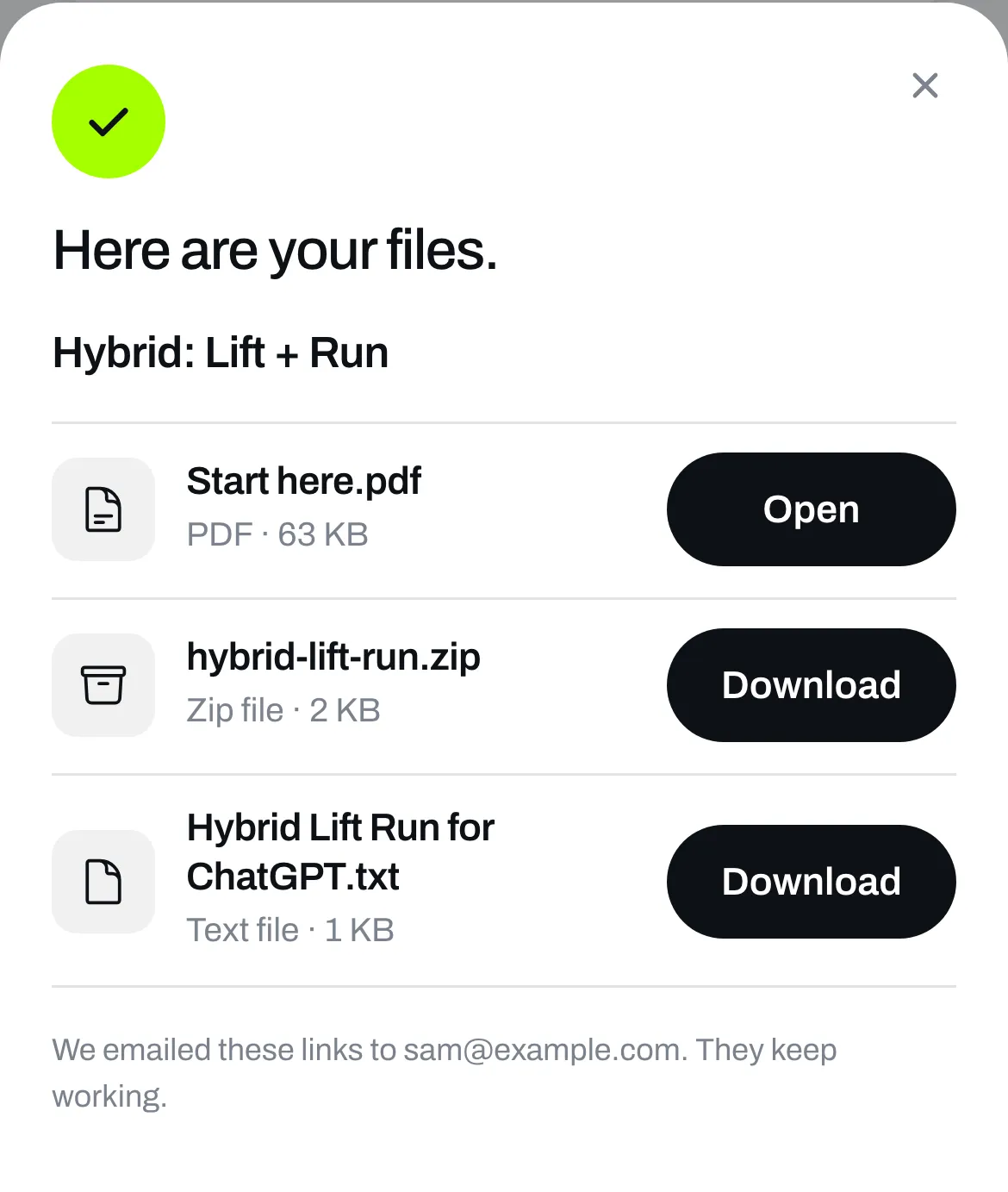
They get a list of the skill’s three files right after they pay, with a button for each.
- Start here is a PDF. It shows how to add the skill to Claude, ChatGPT or Gemini, step by step.
- The zip file is the skill for Claude and Gemini.
- The text file is the skill for ChatGPT.
Start here also says the skill was written by you, not by Trainlike. It tells buyers that if the skill asks for their details or sends them to a link they don’t know, they shouldn’t follow it and should write to us.
They also get an email with a button for each file, and those links keep working too.
They add the skill to their own assistant, on their own account. You don’t see their chats and neither do we.
A link
The link opens right after they pay, and they get an email with it.
A call
They see that they’re booked, with a Join on Google Meet button. They get an email with the time and the Meet link, and an invite from Google for their calendar.
If they lose their email
Go to Sales, find the sale under Orders and click Send the email again. See See your sales and resend a buyer’s email.
If you refund them
Once the whole payment is refunded, their links stop opening. See Refund a buyer.