
Search for it first
In a routine, type the exercise’s name in the Add an exercise box. We have over 700 exercises, so check under a few different names. If it’s not there, click Create at the bottom of the list.
If the name you typed is already on our list, we’ll tell you and offer that one instead.
Fill it in
Type the name, then pick the body part and the equipment.
Exercise type is how people log it in the app. Pick Weights, Body Weight, Assisted Bodyweight, Duration or Distance. This also decides whether you set reps, a time or a distance for it.
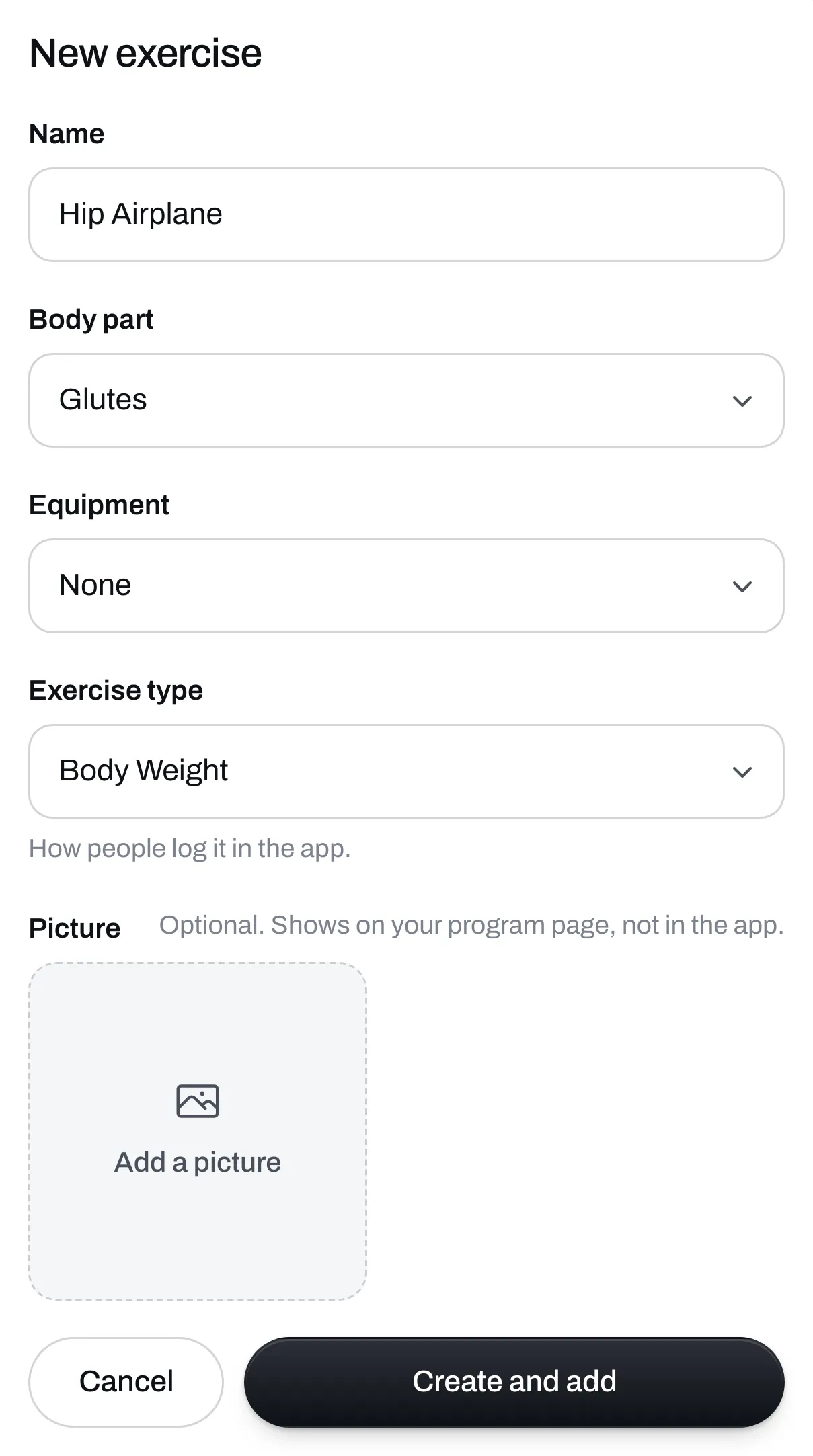
Add a picture if you have one
A picture is optional. It shows on your program’s page.
Click Create and add
It goes into your routine, and it’s in your search from now on, tagged Yours.
Change it later
Click the three dots on the exercise, then Edit exercise. If you don’t need it any more, you can archive it from there. Archiving takes it out of your search, and programs that use it stay as they are.
Your own exercise doesn’t come with one of our videos. On your program’s page, people see your picture if you added one. If they save your program to the Trainlike app, they can log the exercise, but your picture doesn’t go with it.