
This is on Plus. You need a domain you’ve already bought, from Namecheap, GoDaddy, Cloudflare or anywhere else.
Add your domain
Go to Settings. Under Page address, find Your own domain. Type your domain in Your domain and click Add domain.
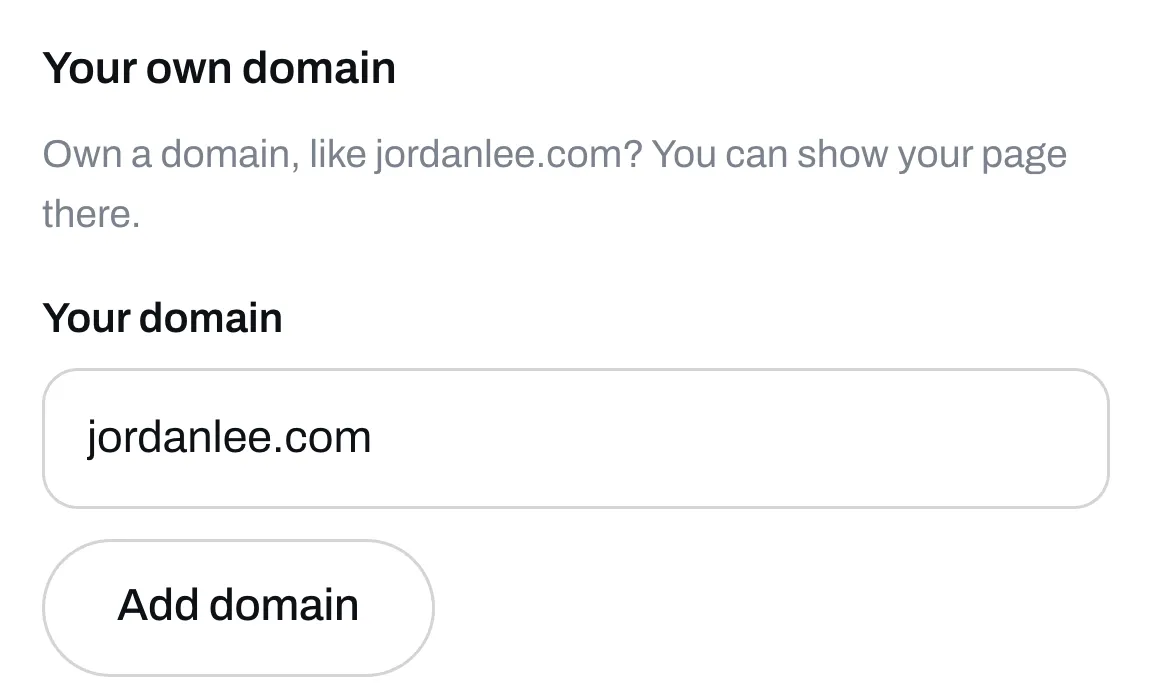
A name under your domain works too, like links.jordanlee.com.
Open your domain’s DNS settings
Sign in to the site where you bought your domain and open its DNS settings. Most sites call it DNS, DNS records or Manage DNS.
Add the records
Settings now shows four records. A name under your domain gets three.
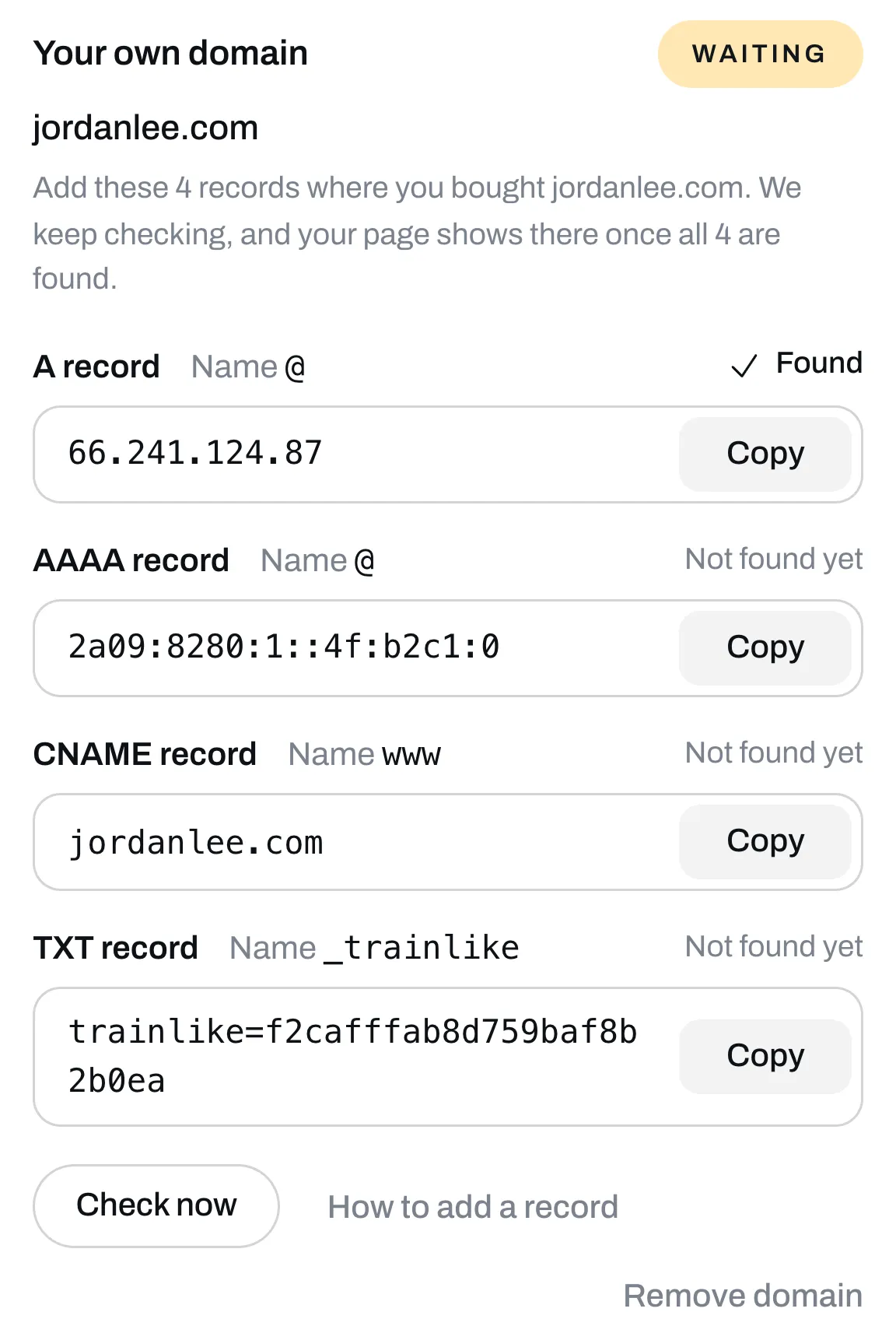
Add each one on your domain’s site:
- Pick the type it says: A, AAAA, CNAME or TXT.
- Type the name it says. Some sites want the name left empty where we say @.
- Click Copy, and paste it in the box next to the name. Sites call that box Value, Content or Points to.
If your domain already has an A, AAAA or www record from an old website, delete it. If you’re adding a name under your domain, like links.jordanlee.com, and that name has an old CNAME record, delete that too. If you leave an old record, we can’t find ours.
On Cloudflare, set each record to DNS only, with the orange cloud off.
Wait for it to work
We keep checking for 7 days, and you can click Check now to check right away. Check now checks once a minute at most. Each record says Found once we see it, and Not found yet until then. It usually takes a few minutes. Some sites take up to a day.
After 7 days we stop checking. Add the records, then click Check now, and we check for another 7 days.
When all of them are found, your page shows at your domain a few minutes later, and Waiting turns to Working.
Share your new link
Your link at the top of Page is now your domain. Your old trainlike.link address still works and sends people to your domain, so you don’t have to change the links you’ve already shared.
If you stop paying for your domain or delete its records, your page stops opening, at your domain and at your trainlike.link address. Click Remove domain in Settings and your page is back at trainlike.link.
Remove your domain
Under Your own domain, click Remove domain. Your page goes back to its trainlike.link address right away.
If you leave Plus, your domain is switched off and your page is at its trainlike.link address. Get Plus again and your domain works again, as long as its records are still there.