
An auto DM is a post, a word and a message. When someone comments your word on the post, your Instagram account sends them a DM with a link to something on your page. Auto DMs are on every plan.
Connect your Instagram
Go to Auto DMs and click Connect Instagram. Log in to Instagram and allow access. You come back to Auto DMs with your username at the top.
It needs to be a public creator or business account. If yours is a personal account, switch it to a creator account in the Instagram app first.
If you use another auto DM tool on the same account, turn it off, or both will reply.
Make an auto DM
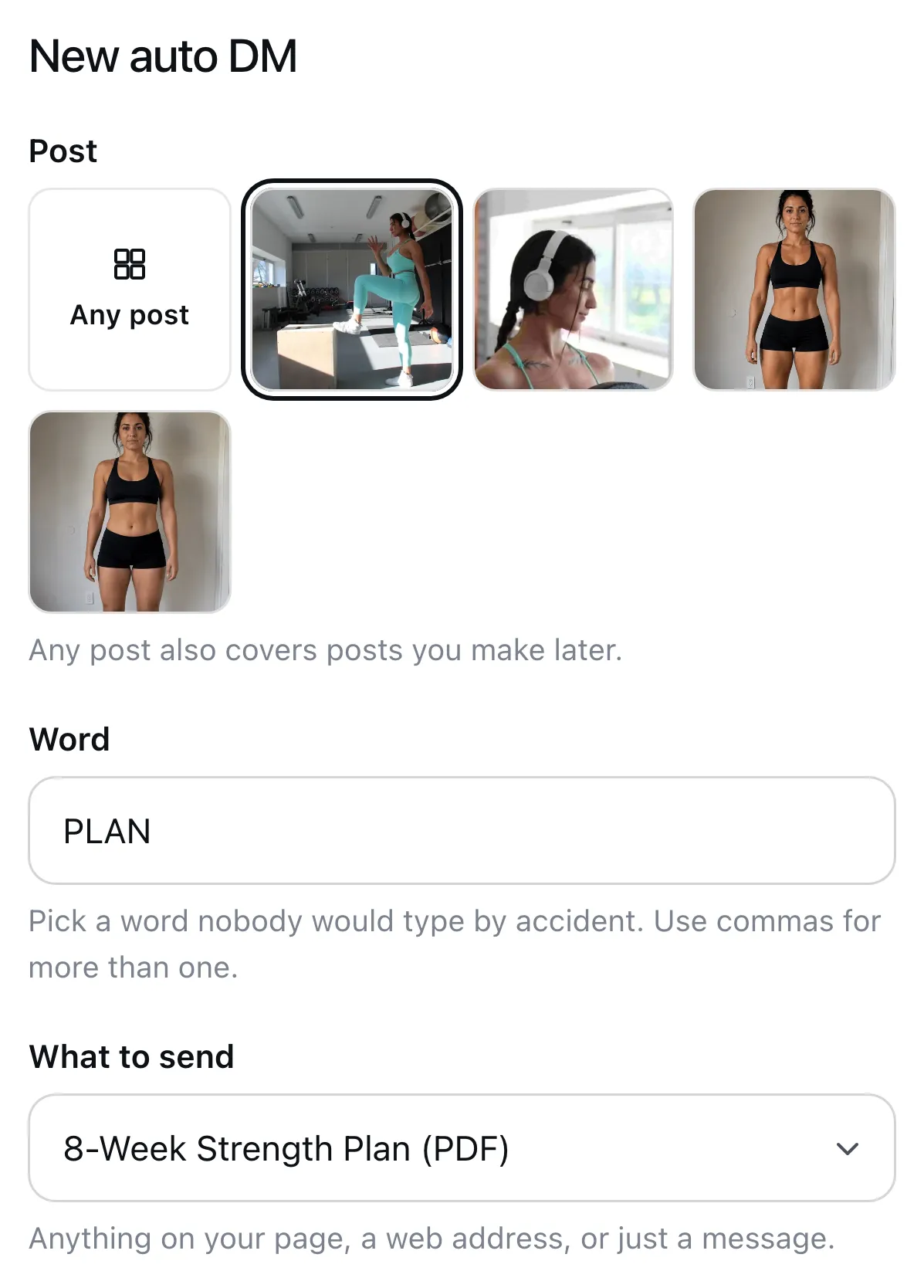
Click New auto DM, then fill in three things.
- Post. Pick the post people will comment on. Or pick Any post, which also covers posts you make later.
- Word. Type the word people should comment, like PLAN. Pick a word nobody would type by accident. Use commas for more than one.
- What to send. Pick a program, a file, a call, or a quiz or form from your page. Or pick A web address, or Just a message, no link.
Pick how to send it
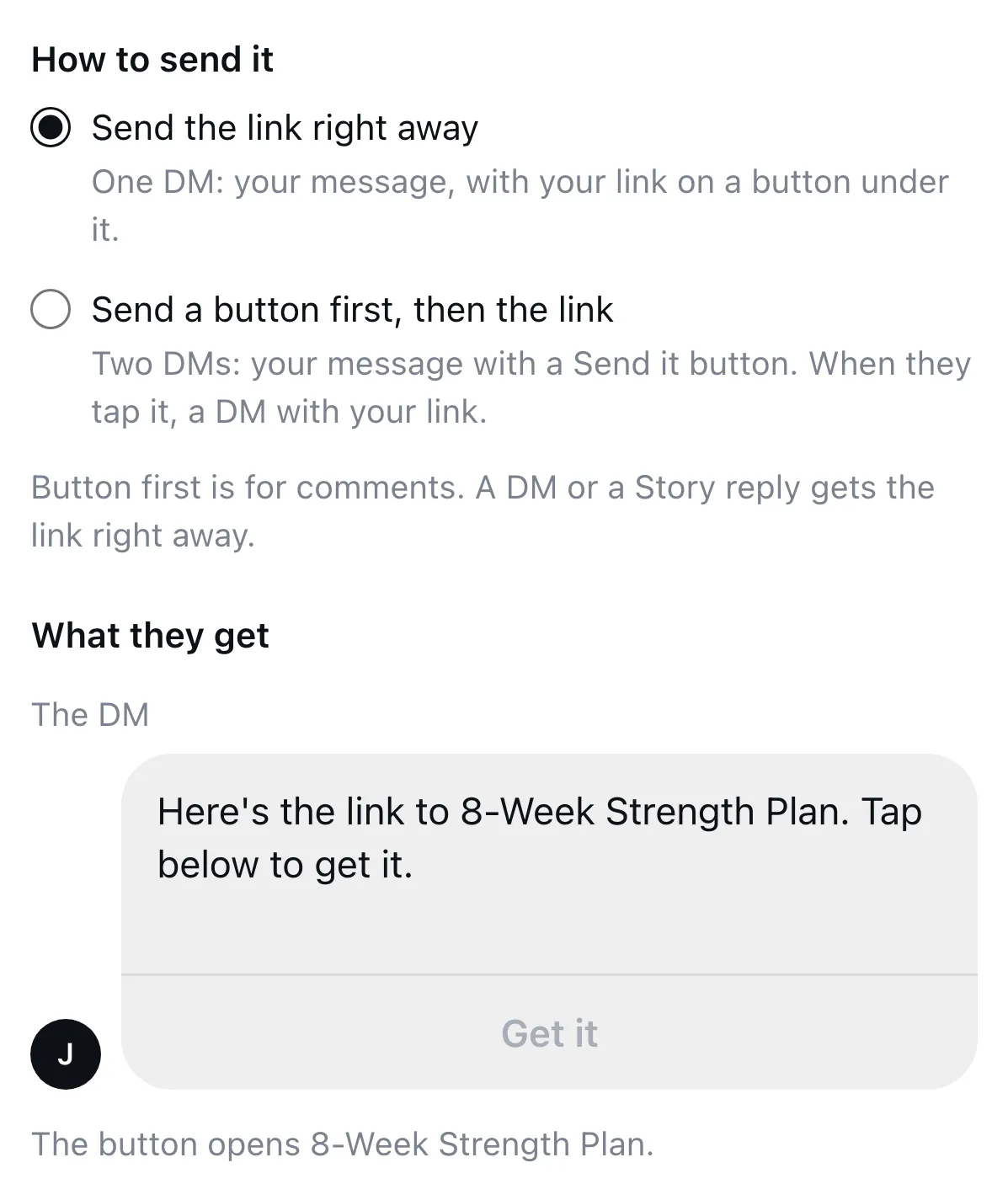
Under How to send it there are two ways.
- Send the link right away. One DM with your message, and your link on a button under it.
- Send a button first, then the link. Two DMs. The first has your message and a Send it button. When they tap it, they get the second DM with your link.
Write the DM
Under What they get you see the DM the way it will look on Instagram. The words are already filled in. Click them to write your own, and type what the button should say.
Reply to their comment, if you like
Tick Also reply in the comments and type one or two replies, like “Sent, check your DMs”. Each time, one of them is posted under the person’s comment.
Then click Save.
Tell people your word
An auto DM only goes out when someone uses your word, so say it in the post or its caption. For example: “Comment PLAN and I’ll send you the program.”
Capitals don’t matter. In a comment the word has to stand on its own, so “PLAN please” and “plan!” work, and “planning” doesn’t.
It also goes out when someone sends you a DM or replies to your Story with the word. There the whole message has to be the word. So you can also say “DM me PLAN”.
See how it’s doing
Each auto DM’s row shows how many were sent, how many were opened and how many people tapped the link. One that sends something from your page also shows its sales, sign-ups or bookings.
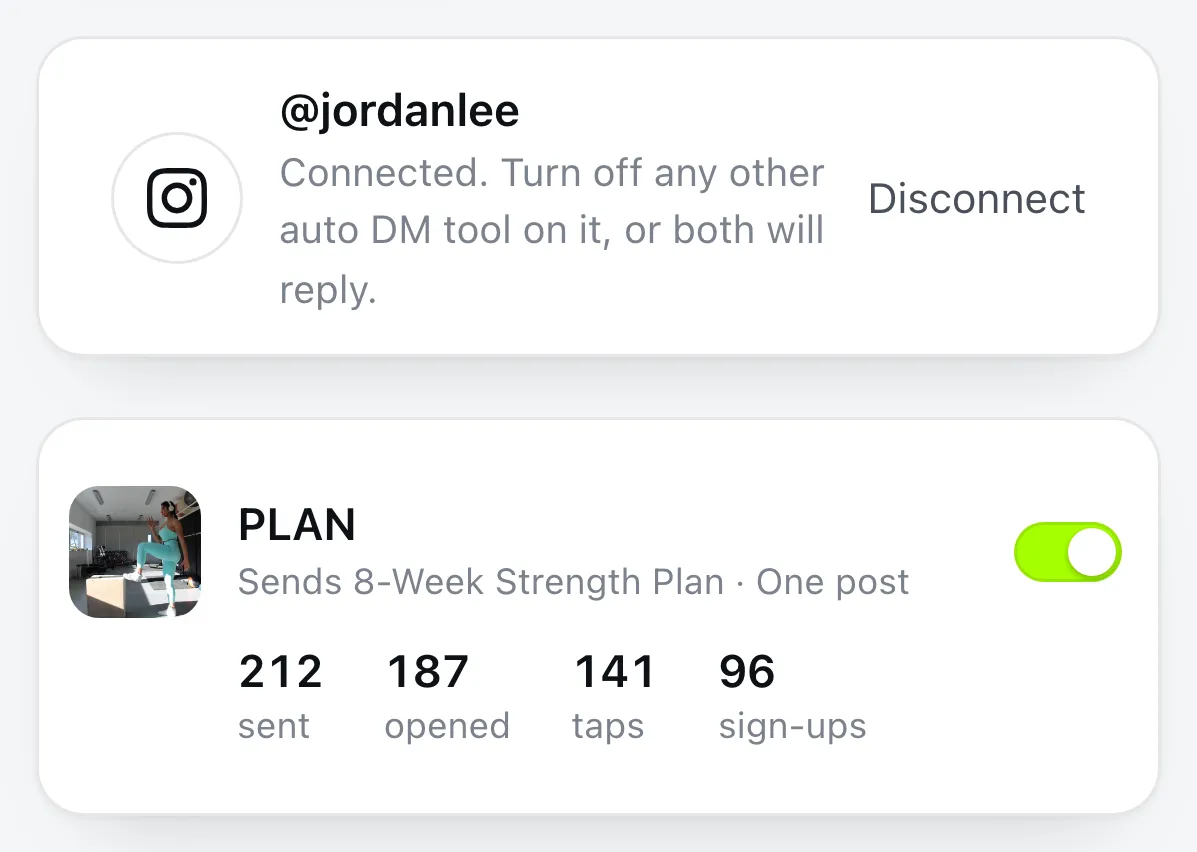
To turn one off, click the switch on its row. To stop all of them, click Disconnect at the top.
A person gets the same auto DM once every 12 hours, however many times they comment. If they don’t follow you, your DM lands in their message requests. An auto DM that sends a program waits while the program is unpublished, and picks up again when you publish it.