
Add it
Go to Page, click Add under Your list, then click Email sign-up.
Say what they’re signing up for
Type a title, like “Get my weekly training notes,” and a line under it. You can change what the button says too.
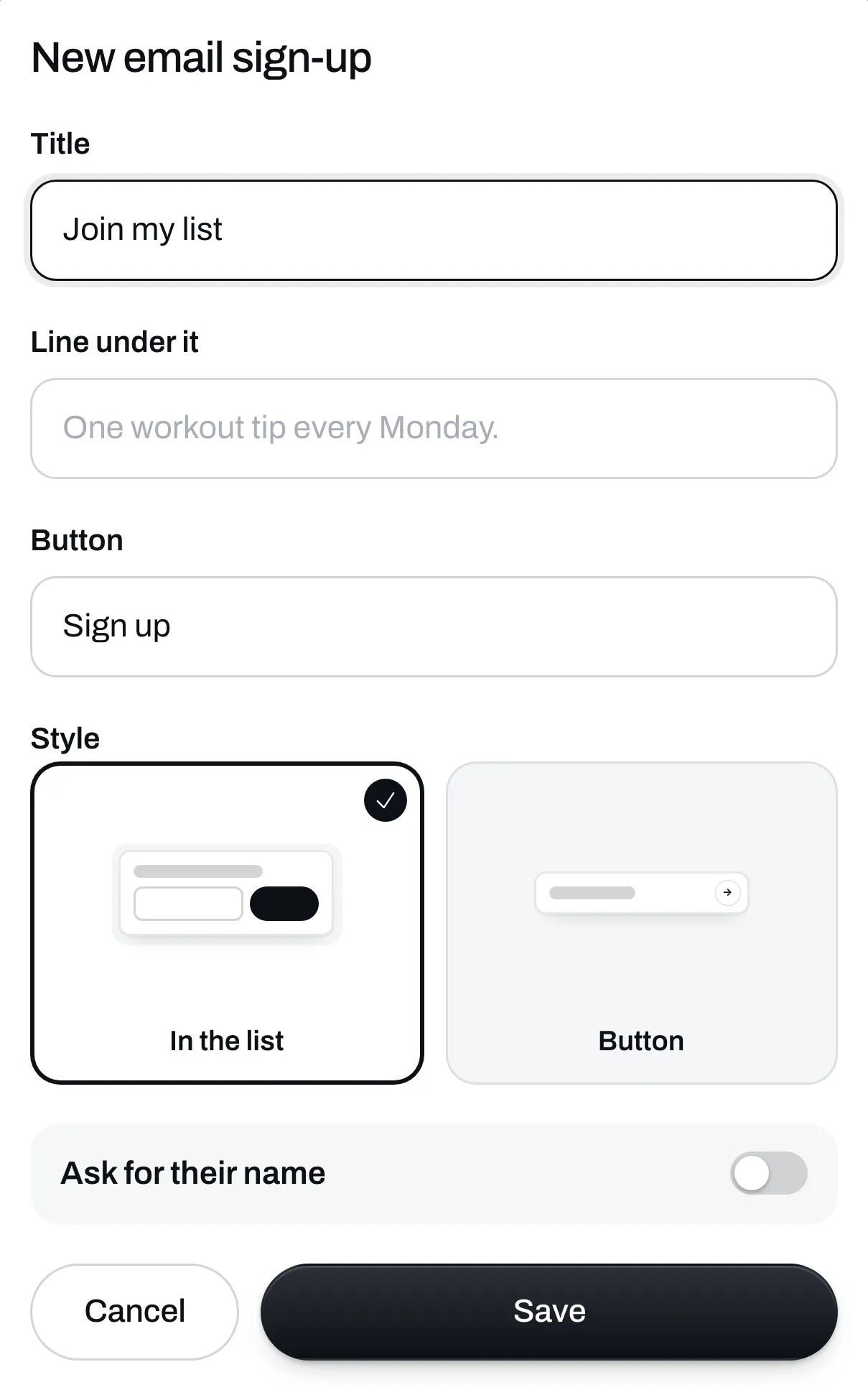
Pick a style
- In the list puts the email box right on your page.
- Button shows a button, and the email box opens when someone taps it.
Tick Ask for their name if you want their name as well.
Save it
Click Save. Under the box, people see that they’ll get emails from you and can unsubscribe any time.
Everyone who signs up shows up in Audience. You can collect emails on the free plan. To write to them, see Send an email.