
When we read your plan, we also list what a buyer might ask that your plan doesn’t answer, like how to pick a starting weight or what to do after a missed day. Only you know those answers. What you write is what their assistant says.
How many questions you get depends on your plan. A thorough plan gets a few, and a short one gets more.
Answer a question
On your skill’s screen, click 2. What’s missing. Under What your plan doesn’t say, click a question. The line under it says what your plan is missing. Write your answer the way you’d text a client, then click Done. An answered question gets a tick.
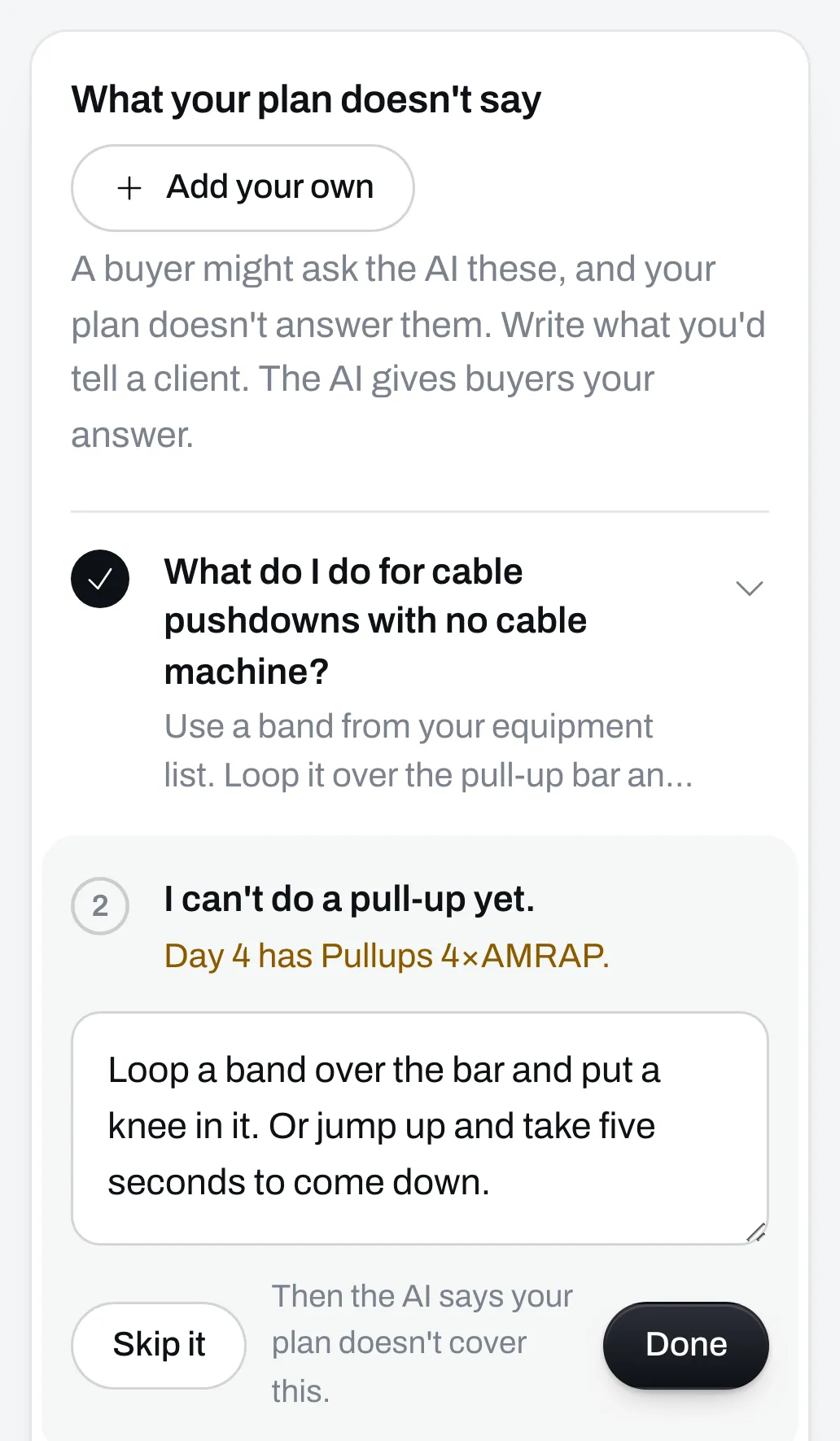
Or skip it
If you’d rather not answer one, click Skip it. When a buyer asks it, their assistant says your plan doesn’t cover it. It doesn’t make up an answer in your name. A skipped question gets a dash.
To answer it after all, open it and click Bring it back.
Add your own
Click Add your own for something buyers ask you all the time that isn’t on the list. Write the question and your answer. A question of your own needs an answer before you can save.
Save
Click Save. Your skill says Ready to sell once every question is answered or skipped.
If the skill is on your page, we check your answers before buyers get them. Buyers get the new ones about a minute after you click Save.
Test again
Once it’s ready, Test again shows under the questions. It checks whether your answers leave anything else open. If your answer says “swap it for a row”, a buyer will ask which row.
Anything it finds joins the list with a New tag, and your skill isn’t ready again until you’ve answered or skipped it. Often it finds nothing.
You can test 20 times a month.